skip to main |
skip to sidebar
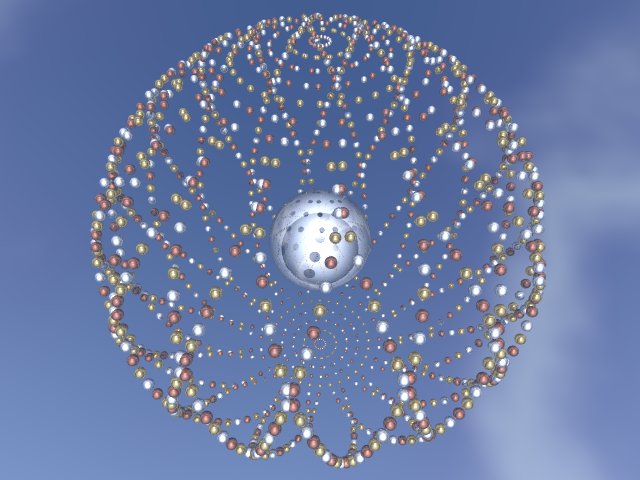
Friday February 23, 2007Buongiorno! It’s another chilly Friday and I’m tired but inspired. This week the topic turns again to music creation and I’ve lined up some choice PC music tools to share. The programs in question are from the AnalogX site, small, easy to use and, best of all, they’re free (!). There are a number of these bite-sized, stand-alone and plug-in apps available at the site, but my favorites are the vocoder, the speech synthesizer, and the auto-tune. The vocoder can be used to make a human voice sound electronic or robotic. The Cylons (in the old Battlestar Galactica TV show, not the new one), or any number of ELO songs used the distinct sound of a vocoder. A speech synthesizer can take a typed string of words and turn it into roughly recogonizable human speech. The auto tune simply can detect and change the pitch of a WAV format sound file. The downside to these freebies is that they’re mostly monophonic rather than stereo and limited in resolution to 16 bits of output. The good part is that they are free software tools that perform musical functions that used to require a rack full of costly equipment. Give them a try, and send me your own review! There was some belated news from the blog tag of 2 weeks ago. This week I got a nice note from Disaster Gurl and she’s going to continue the chain and tag 5 others. For my part I was polite, lest it be said I was flirting with Disaster.This week’s picture was created using Project Dogwaffle Click on the picture to get a full-sized view.
 The loops of the week were created with Orion Pro.Right click on a loop name to download it
----- Bass 1 ----- Bass 2 ----- Bass 3 -----
----- Drums 1 ----- Drums 2 ----- Drums 3 ----- Drums 4 ---------- Electric Piano 1 -----Electric Piano 2 -----
The song of the week is Hocus Pocus, originally by Focus and covered by Gary Hoey.Send your comments and feedback and I’ll read it all and respond to some of it.Bye for now!
Friday February 16, 2007Bonjour! I’m back once more and the topic for tonight is graphics and art. The recommended program of the week is a great open-source application for kids named Tux Paint. Tux Paint gets its handle from Tux, the famous Linux penguin, who appears throughout the program as a kind of on-screen guide. In spite of the name and the use of the cuddly Linux mascot, Tux Paint is not exclusively a Linux program, and in fact it runs on Linux, Mac OS X, and Windows (all versions from 95 through Vista!). Everything is designed from the ground up for ease of use. The graphics are relatively low-resolution 640x480, which is just about the right for kid-sized hands pushing a mouse with less than pixel perfection. There are the usual paint tools, various brushes, a bright palette, and some cool special effects that can be applied. My favorite feature is the rubber stamps, which are images that can be pasted anywhere on the screen. The default stamp set features Tux the penguin in various poses, but you can replace Tux with your own images. There’s a lot of coolness here and it’s free, with the one caution being that it’s not quite as slick as a commercial program. My 7- year-old nephew promptly figured out how to use the rubber stamps and quickly crafted a short story starring Tux. Give it a go, or better yet have your kids test drive it and let me know what you think! You can read the Wikipedia article about Tux Paint here.The results of last week’s blog tag are in. Max and Ben expressed an interest in continuing the chain, Claire declined politely, AlvinZ is closing his blog (bummer), and Disaster Gurl hasn’t responded yet.This week’s picture was created using POV-Ray for Windows.Click on the picture to get a full-sized view
 The loops of the week were created with Orion Pro.Right click on a loop name to download it.
----- Bass 1 ----- Bass 2 ----- Bass 3 -----
----- Drums 1 ----- Drums 2 ----- Drums 3 ----- Drums 4 -----
----- Synth 1 ----- Synth 2 -----
The website of the week is a gallery of artworks by a guy called Wizard. It’s amazing stuff and he uses one of my favorite art programs, Project Dogwaffle. Send your comments and feedback and I’ll read it all and respond to some of it.Bye for now!
Friday February 9, 2007Warm winter greetings! This week’s entry will be a slight departure from the norm but detours and unexpected turns lend spice and interest to life. I’ve been tapped to participate in a Blog-Tag, by C.K. Lester, the avid Euphoria programmer and proponent. I’ll post a list of 5 things you didn’t know about me until now and then tag 5 other bloggers. Those poor souls will be asked to post their own 5 things and to tag 5 others. The idea apparently is to achieve critical mass and self-sustained fission after a number of iterations. So without further ado, hesitations or condiments here are the
Five Things You Didn’t Know About Me Until Now:1. I reside in Southern California, but have visited 6 other states: Nevada, Washington, Pennsylvania, Illinois, Texas, and Hawaii.2. I wrote a BASIC wargame named “Tactwar” on my Atari 800 back in 1982. I Googled it recently found that it’s available for download on an Atari retro site some 25 years since I posted it on GEnie.3. My favorite daily comic strip is Get Fuzzy.4. Between 1995 and 2002 I played keyboards in 4 L.A. area bands.5. I used to be addicted to Starbucks Frappuccinos. I still imbibe the occasional ice-blended coffee drink, but in moderation.I audited a bunch of blogs and picked the ones I liked the best to tag. I don’t know the people I’m tagging, but hopefully they won’t think I’m completely rude or a wacko. At best they’ll respond and continue the chain reaction. At worst they’ll get restraining orders and add me to their “spam” lists. In any event I’m tagging:Max, Claire, Ben, Alvinz and DisasterGurlThis week’s picture was created using Project Dogwaffle . Click the picture to get a full-sized view. The loops of the week were created with Orion Pro.Right click on a loop name to download it.----- Drums 1 ----- Drums 2 ----- ----- Marimba 1 ----- Marimba 2 ----- ----- Saxy 1 ----- Saxy 2 ----- Saxy 3 -----The websites of the week are the blogs I’ve tagged above. It’s all good stuff and worth a quick browse or an extended reading. Explore, expand, and expound! Send your comments and feedback and I’ll read it all and respond to some of it.Bye for now!
Friday February 2, 2007
Hi All and Happy Friday! The weather is wet and chilly and the topic for tonight is computer programming. I’ve already touched on my favorite programming language (Euphoria) in a previous posting but way back during the very earliest days of personal computers there was BASIC (Beginners All-Purpose Symbolic Instruction Code). BASIC has been around since the time before computers were personal and has gone through a number of changes and variations in its history. BASIC was the first programming language many people learned, because back in the early days nearly all home computers had some version of BASIC built in. It worked well, cause it was dead simple, and very immediate. There currently have 3 different BASIC dialects in my expansive software library: Dark BASIC Pro, FreeBASIC and IziBASIC. I’ll devote a bit more time to the specifics of each BASIC variety in a later entry. This week’s picture was created using POV-Ray for WindowsClick on the picture for a full-sized view
 The loops of the week were created with Orion Pro.
Right click on a loop name to download it
----- Bass 1 ----- Bass 2 -----
----- Drums 1 ----- Drums 2 ----- Drums 3 -----
----- Synth 1 ----- Synth 2 ----- Synth 3 ----- Synth 4 -----The website of the week is The Thousand Nights and a Night which contains various translations of the Arabian Nights tales. Send your comments and feedback and I’ll read it all and respond to some of it.Bye for now!
Friday January 26, 2007Greetings and Welcome Back! This week I started using broadband Internet in my home after years of moving at the far slower dial-up pace. Yes, this old gray cat is finally driving in the 21st century fast lane, and loving it. As with all good things there were a few minor obstacles along the way. It took about 4 weeks to get the installation kit, including the cable modem and splitter, and that required no fewer than 4 phone calls and a drive out to the payment/service center. It seems my cable company was suffering from a severe case of cranial-rectal inversion as the result of a recent transition. I also was advised to invest in a broadband router for added firewall protection, the Net no longer being the safe and insular place it once was. The good points of the upgrade are raw speed and capabilities. Audio actually streams and it no longer takes 20 minutes to download a 2-minute video. I also got the opportunity to prove what a compete newb I am at UT2K4 by getting killed in various gruesome ways in the course of a friendly game with real-live humans instead of bots. I’ll have more on my new adventures in cyberspace in future posts.This week’s picture was created using Project Dogwaffle Click on the picture to get a full-sized view.
 The loops of the week were created with Orion Pro.Right click on a loop title to download it.
----- Bass 1 ----- Bass 2 ----- Bass 3 ----- Bass 4 -----
----- Drums 1 ----- Drums 2 ----- Drums 3 ----- Drums 4 -----
----- Synth 1 ----- Synth 2 -----
The website of the week is The Internet Ray Tracing Competition. The competition is mostly good natured and some of the stills and animations are truly noteworthy.Send your comments and feedback and I’ll read it all and respond to some of it.Bye for now!
Friday, January 19, 2007
Hi again! The topic for this chilly January eve is graphics, and the application of the week is an add-on for an already great program. A few weeks ago I wrote about Anim8or, an excellent free program for 3D modeling, rendering, and animation. Anim8or has inspired a companion program named Terranim8or that can generate random/algorithmic terrains, particles, animated textures and some other very impressive effects. It’s not often that you see such a comprehensive add-on package, but Terranim8or delivers the goods and like Anim8or it’s a FREE program. I used an earlier version of Terranim8or to produce an impressive snowfall scene and a starry particle trail for a short animation. If you liked Anim8or, you’ll almost certainly want to give it a try.
This week’s picture was created using Anim8or
Click on the picture to get a full-sized view.
 The loops of the week were created with Orion Pro.
Right click on a loop to download it
The website of the week is Otaku World, a site with numerous links to places to learn to drawn Japanese style cartoons (manga, and anime).
Send your comments and feedback and I’ll read it all and respond to some of it.
Bye for now!
Friday, January 12, 2007 Hail and Howdy! The topic for this lovely mid-January is music creation and I’m going to review loops and programs for using them. A music loop is a short, pre-recorded musical phrase that you can use as the basic building block in a song. A loop can be as long or as short as you like, but the most manageable length appears to be about 1 or 2 measures. Once you have your assorted drum, bass, keyboard, ocarina or whatever loops, then you’re ready to start putting them together, and for that you need some software. One of the original and preeminent programs for looping is Acid from Sony. Acid lets you assemble your loops with a minimum of effort, by simply dragging and dropping the sounds you want. A key feature of Acid is the ability to change the pitch or tempo of any or all loops used in a song, so that you can match up loops of varying length and key. The pitch/time-shifting feature has some appreciable limits, since you can’t change the pitch or tempo too much without it becoming noticeable. Acid comes in 3 varieties: Acid Pro the high-end version, Acid Music Studio with fewer bells and whistles, and Acid Xpress a free version that you can download from the Sony Acid site. You need Windows 2000/XP and a fairly fast PC, plus it helps to have an audio editing program if you plan on importing or rolling your own loops. Finding decent loops to use in your own work can be tricky. There are a few places to find freebies online, and there are a ton of el cheapo CD’s you can buy on Ebay. Every week I offer a few loops for free (to download you need to right click on the loop name) on this site. There are other loop music program available (namely Ableton Live and Garage Band) but I’ve yet to try them. Let me know if you think the Acid family of products is great or just lacking. A Wikipedia article on Acid is here. This week’s picture was created using Corel Photo PaintClick on the picture to get a full-sized view. The loops of the week were created with Cakewalk Music Creator.
right click on the name of a loop to download it.
The song of the moment is Wish You Were Here by Pink Floyd. Send your comments and feedback and I’ll read it all and respond to some of it.Bye for now!